Gumline, a private dental habit tracker
My dentist points at a specific tooth, tells me what to do about it, and by the time I am home I have lost the detail. Which tooth was it? Was it the flossing angle or the pressure? Six months later the same spot comes up again. There is a lot of information loss between the chair and the bathroom sink.
The daily side is no better. It is easy to skip a step when I am tired, or when I am rushing a toddler out the door in the morning. I wanted a fast way to log what I actually did, and a place to keep the dentist’s notes where I would see them.
So I built Gumline, a small iPhone app for exactly that. It is free on the App Store.
Logging by hand never stuck
I tried the obvious thing first. I already keep a spreadsheet for coffee, so for a while I kept one for brushing and flossing too. It never stuck. A spreadsheet does not come with you to the sink, and it cannot nudge you at night. Filling one in by hand is enough friction that I stopped after about a week.
Logging the routine
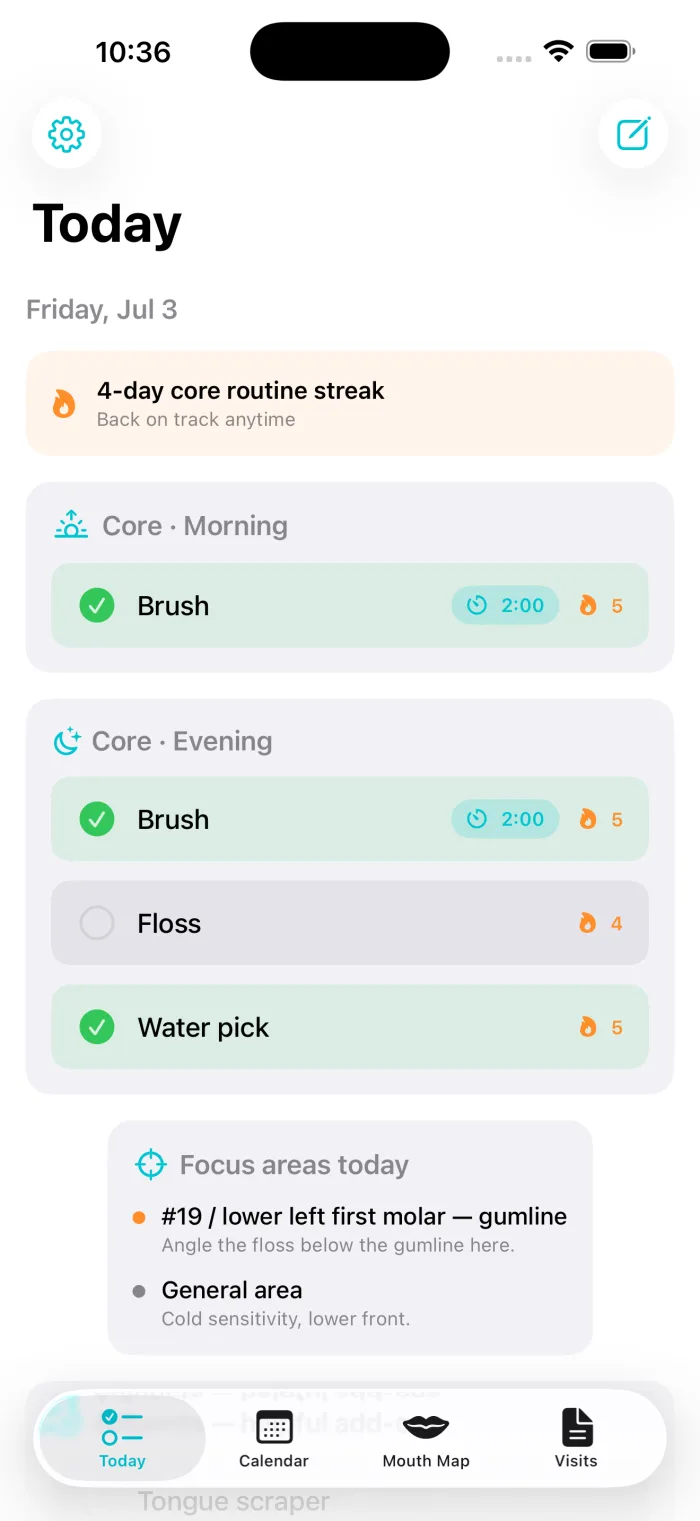
Gumline opens on a Today screen that lists the day’s routine: brush in the morning, brush and floss at night, water pick. You tap each item as you finish it. The whole thing takes about twenty seconds.
There is a streak for the core routine, and it is deliberately gentle. Miss a day and it resets without any scolding, and you start again the next morning. Optional add-ons like mouthwash or a tongue scraper are tracked separately, so they do not pad the number that actually matters.
Remembering what the dentist flagged
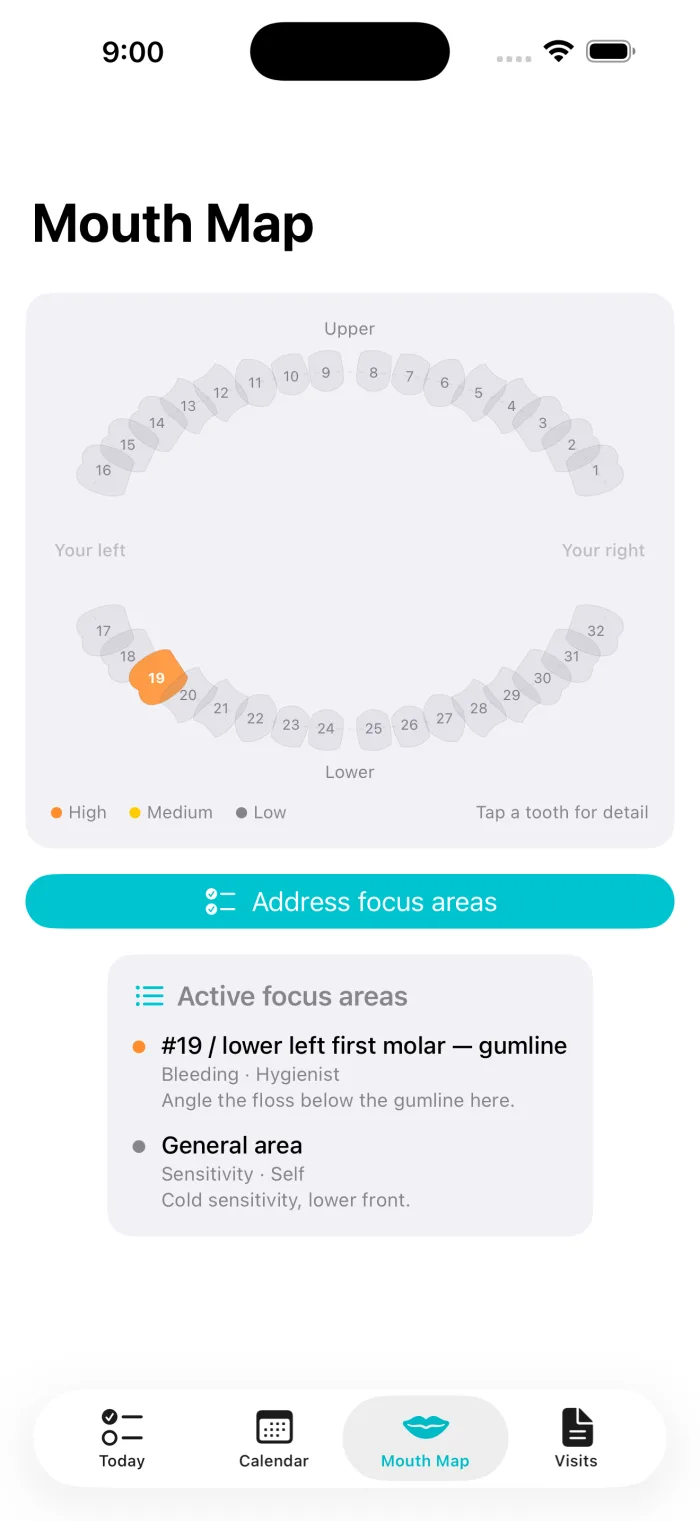
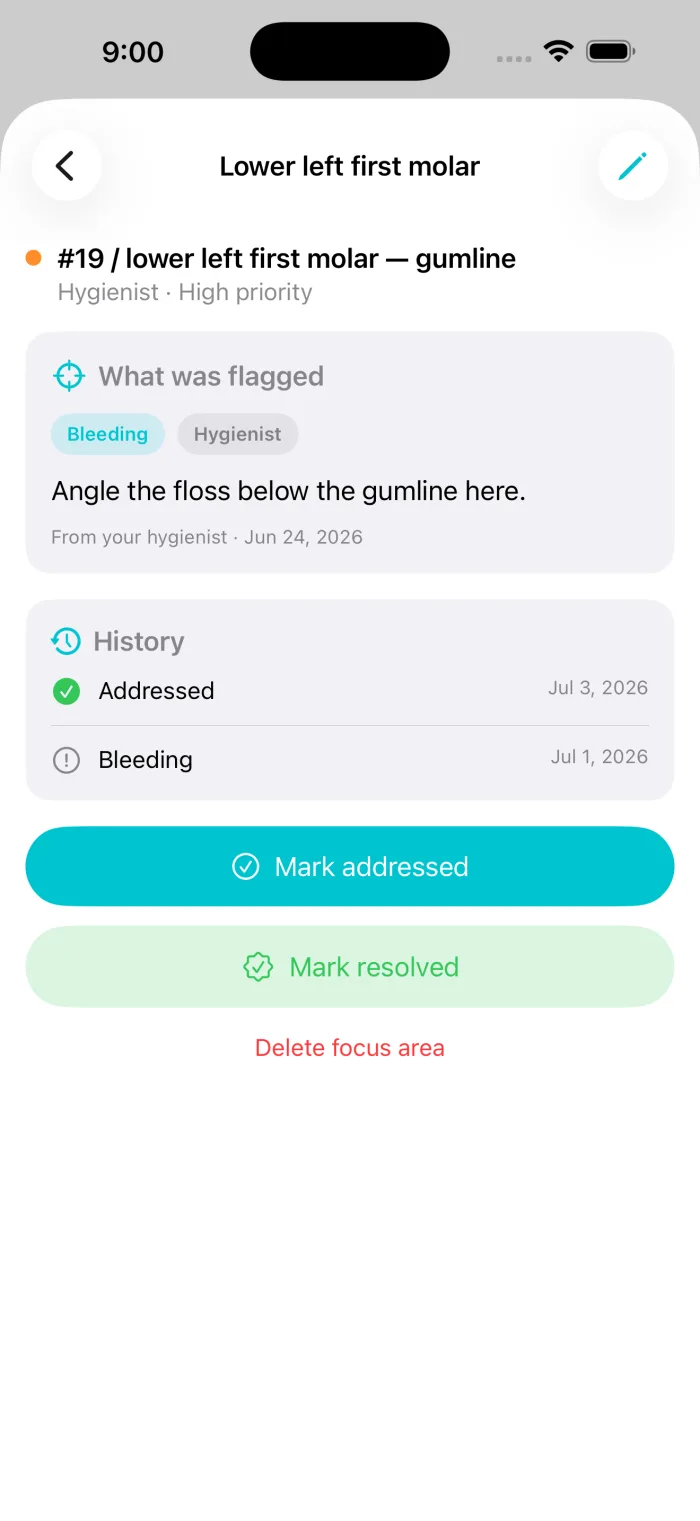
This is the part I actually wanted. Gumline has a mouth map, a chart of your teeth that you can tap. When the hygienist flags a tooth, you open the map, tap that tooth, and write down what they told you, with a priority if it needs one. Teeth use the familiar 1 to 32 numbering.
Those focus areas then show up on the Today screen, under the routine, so the advice reaches the moment you are actually brushing. After you work on a spot you mark it addressed, which builds up a small history you can look back on before the next visit.
Honest tracking
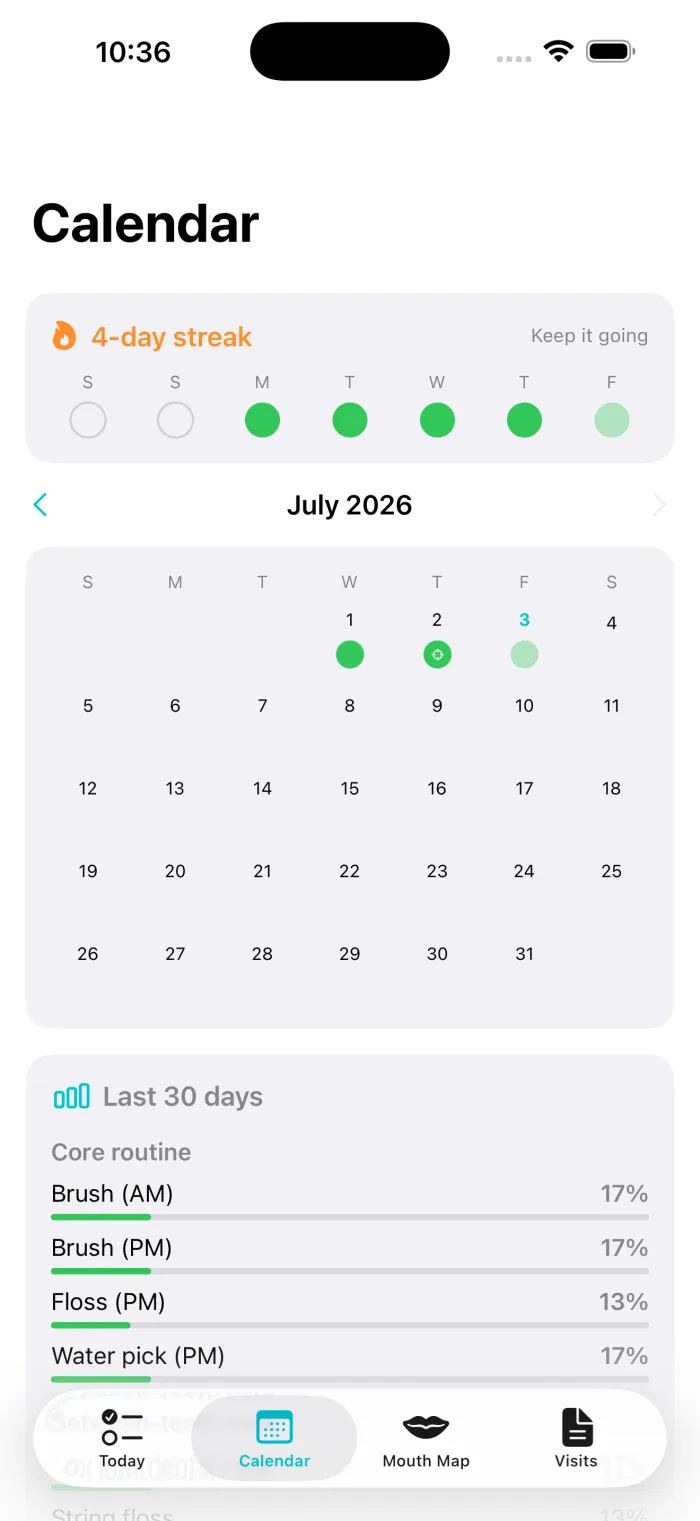
The calendar shows each day’s completion and a rolling thirty-day adherence figure for every task. The numbers are whatever you logged, including the low ones. I would rather see a true 40 percent than a dashboard that flatters me.
Everything stays on the phone
Gumline stores everything on the device. There is no account to create and no server for it to call, so nothing is uploaded anywhere. Its App Store privacy label is “Data Not Collected,” which is accurate because the app collects nothing. When you want your data out, you can export a plain Markdown summary to bring to your dentist, or a full CSV or JSON backup, and you can erase everything from Settings whenever you like.
One thing to be clear about: Gumline is a personal tracker. It is not a medical device and does not give dental advice. It only records what you and your dentist already decided. Always talk to your dentist about your oral health.
Try it
Gumline is on the App Store for iPhone, free. If you have ever left the dentist meaning to floss one particular spot and forgotten which spot by Tuesday, it might help.
Gumline is an independent project I build on my own time. The views are my own and do not represent any current or former employer.
Frequently asked questions
Is Gumline free?
Yes. It is a free download on the App Store for iPhone.
Is my data private?
Everything stays on your phone. There is no account and no network calls, so nothing is uploaded. Its App Store privacy label is "Data Not Collected." You can export or erase everything in Settings.
Does Gumline give dental advice?
No. Gumline is a personal tracker. It is not a medical device and does not provide dental advice. Always consult your dentist about your oral health.
Can I share my history with my dentist?
Yes. You can export a plain Markdown summary of your routine and focus areas, or a full CSV or JSON backup of everything.
Will it remind me?
Optionally. You can turn on gentle reminders for your core routine. They are scheduled locally on the device.
What do I need to run it?
An iPhone running a recent version of iOS.